
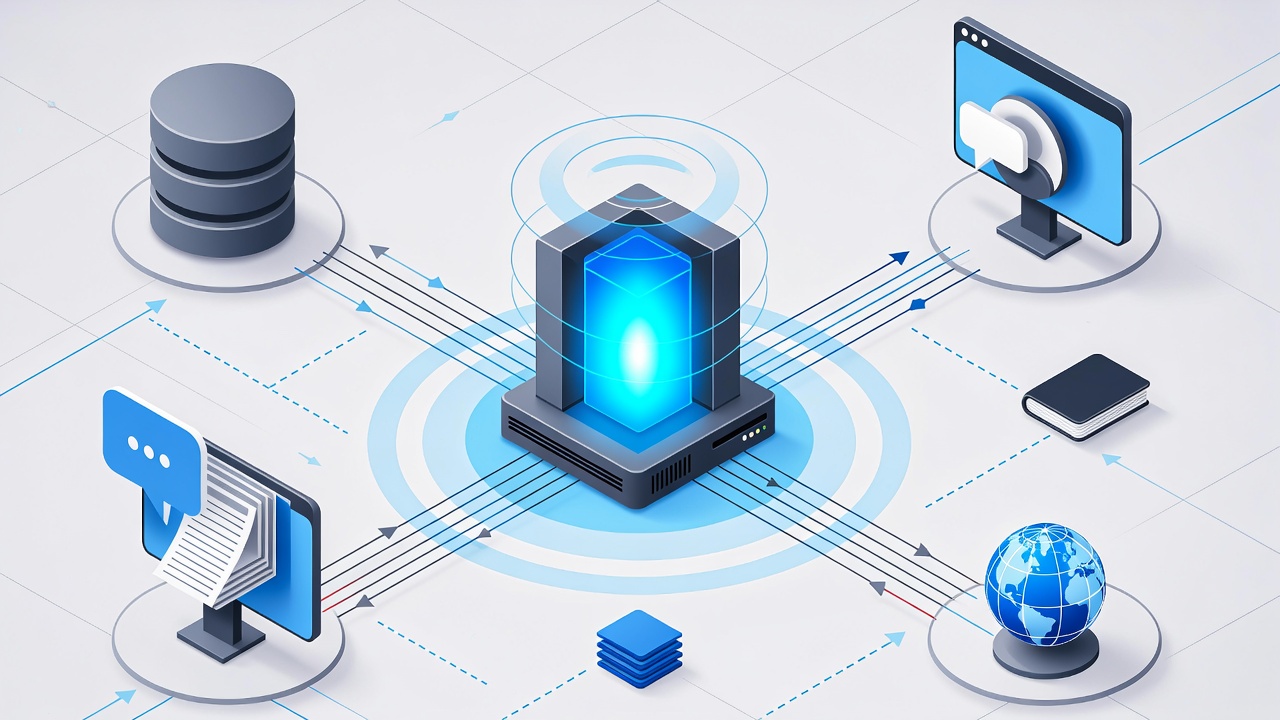
I would like to share to the developer who just started to learn about RAG. In the previous post, has been explained about the differences about GenAI and Agentic AI. Click here to read first.
What is RAG
RAG is an architecture optimizing the performance of Artificial Intelligence (AI) model by connecting it to the external knowledge base. RAG help llm to deliver more relevant response at higher quality. RAG empower your organizations to avoid high retraining costs when adapting Generative AI models to domain specific use-case. You just add external knowledge into your RAG pipeline instead of retraining the model. Another advantages is the security, you may utilize the private information (knowledge) into your internal organization. Ok, Let’s start build an simple RAG application using FastApi with Lang Chain, Hugging Face and Open Router
How Does RAG works?
RAG works by combining information retrieval models with generative AI Models to produce more curate content.
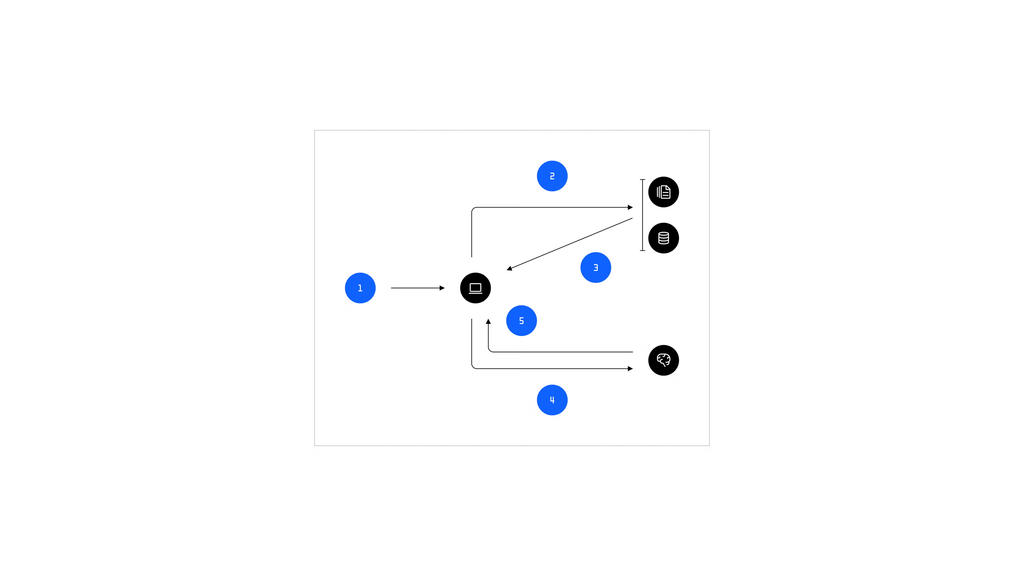
There are 5 steps:
- The users submit prompts
- The information retrieval models to knowledge base to query relevant data
- Relevant result is returned to the system
- Send the result to LLM to enhance response based on retrieval data
- LLM generate the output response to the users
Getting Started + Prepared Access Key Hugging Face, Open Router
You may create access token Hugging Face from this link and check the “Make calls to inference provider”. We will used “BAAI/bge-m3” embeddings from hugging face cloud or locally.
Another one is API key from Open Router, you may generate the key from this link. We will use the free llm “openai/gpt-oss-20b:free” at this project.
All those key is free, no need to input credit card.
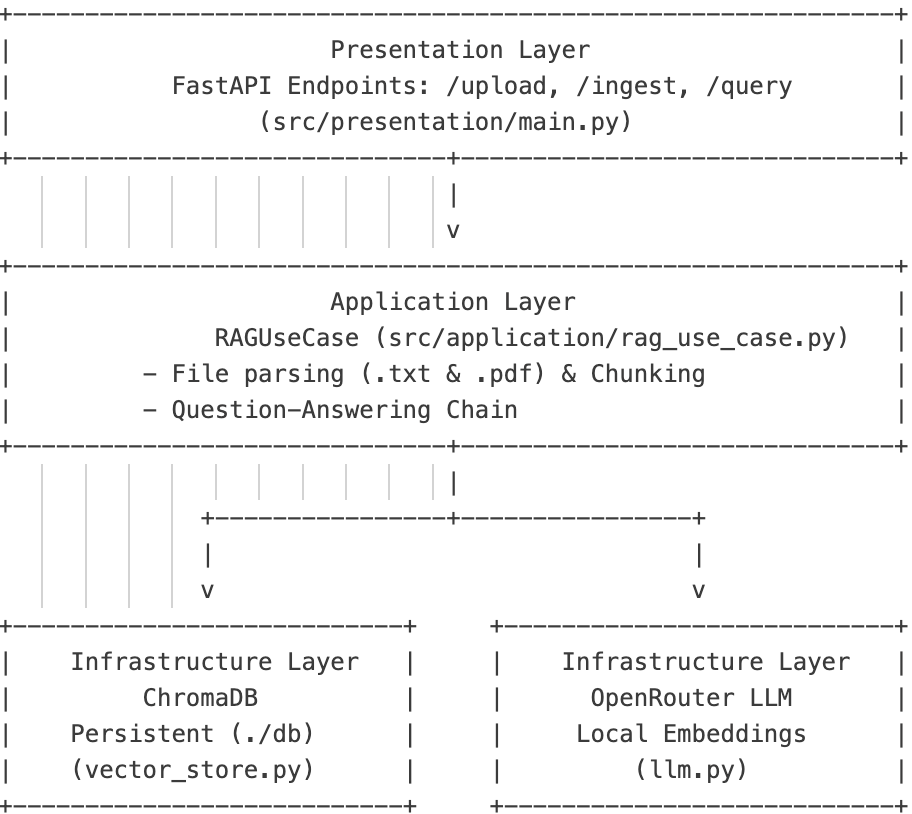
At this sample, there will be 2 endpoint from fastapi; they are upload/ingest the file (.txt and pdf) as external knowledge and another one is query each of use case will be written in rag_use_case.py
At infrastructure layer, we used vector store using Chroma DB to save the knowledge parse from file using Hugging Face embedding ” bge-m3″ and retrieve the knowledge based on input.
Clone the repository here, copy .env.example to .env and change with your key.
Run & Test
I just provide sample knowledge on directory datasource, you may run the app “uv run uvicorn simple_rag_api.presentation.main:app –reload” and open the swagger to test each endpoint. You may upload first the file .txt and hit query by passing question.
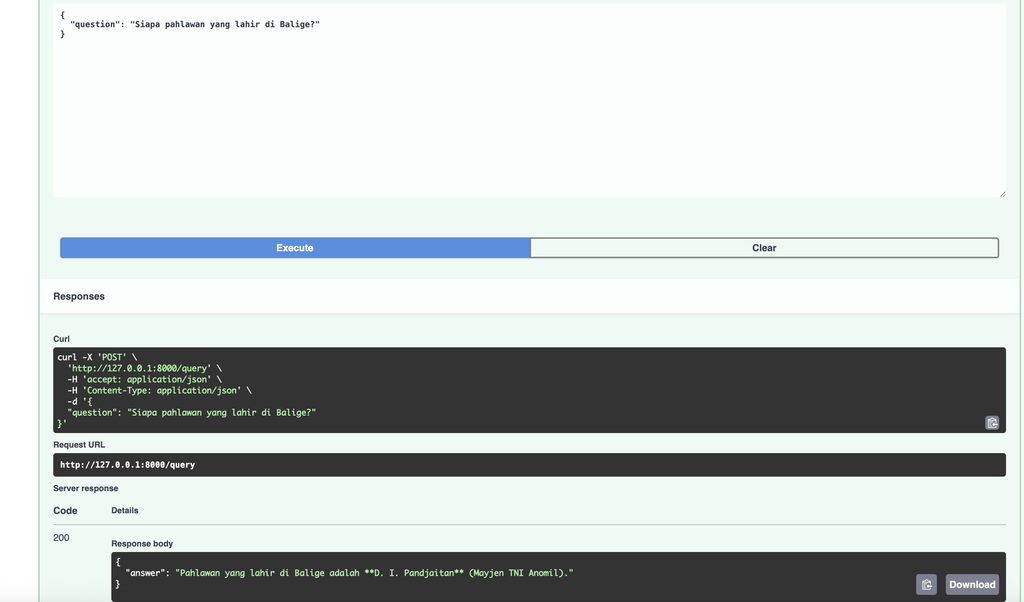
That’s it, that was the sample of RAG implementation for you that started play around RAG. Drop any message for further discussion.
See around another post.