



Imagine you running hotel business and your company had an application (system) that allow your guest book the room online. Your team has idea what if your AI Assistant can help your potential guest check whether the room is available at their requested time and able to book room and make payment by sending message or by claude, chat-gpt or gemini. After those transactions, they receive the book receipt for check-in on your hotel than. How to do that?
Read : Agentic AI Vs Generative AI (here)
Introduction to MCP
How the AI connect to your services (application)? The answer is MCP. MCP(Model Context Protocol) is an open source standard for connecting AI application to external system. Image like USB Port that has four ports, each port you may connect with your flash disk, joystick gamepad, keyboard and others devices. By having standard protocol, your devices can be connected to your computer. It’s same analogy with MCP, by having standard protocol that external systems can be connected to your AI Application. MCP doesn’t make the AI model smarter but makes AI more connected.
Data Layer
MCP uses JSON-RPC 2.0 as its underlying RPC protocol that defines the message structure and semantics. This Data includes:
- Discovery : let the client query the supported protocol version, capabilities and identity through the server/discover request
- Server features : Enables servers to provide core functionality including tools for AI actions, resources for context data, and prompts for interaction templates from and to the client
Transport Layer
The transport layer manages communication channels and authentication between client and server. MCP supports two transport mechanisms:
- Stdio transport : Uses standard input/output streams for direct process communication between local processes on the same machine, providing optimal performance with no network overhead.
- Streamable http transport : Uses HTTP POST for client-to-server messages with optional Server-Sent Events for streaming capabilities. This transport enables remote server communication and supports standard HTTP authentication methods including bearer tokens, API keys, and custom headers
Sample Use case (Monitoring for Ops Team)
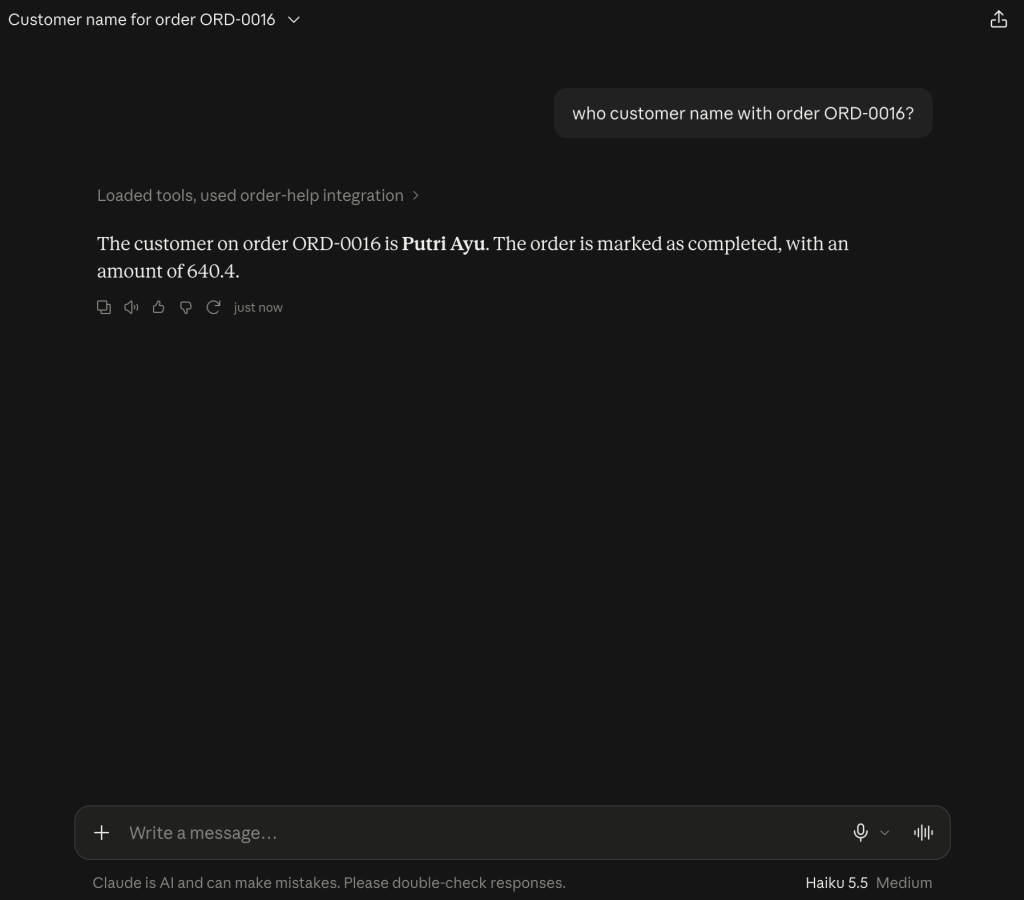
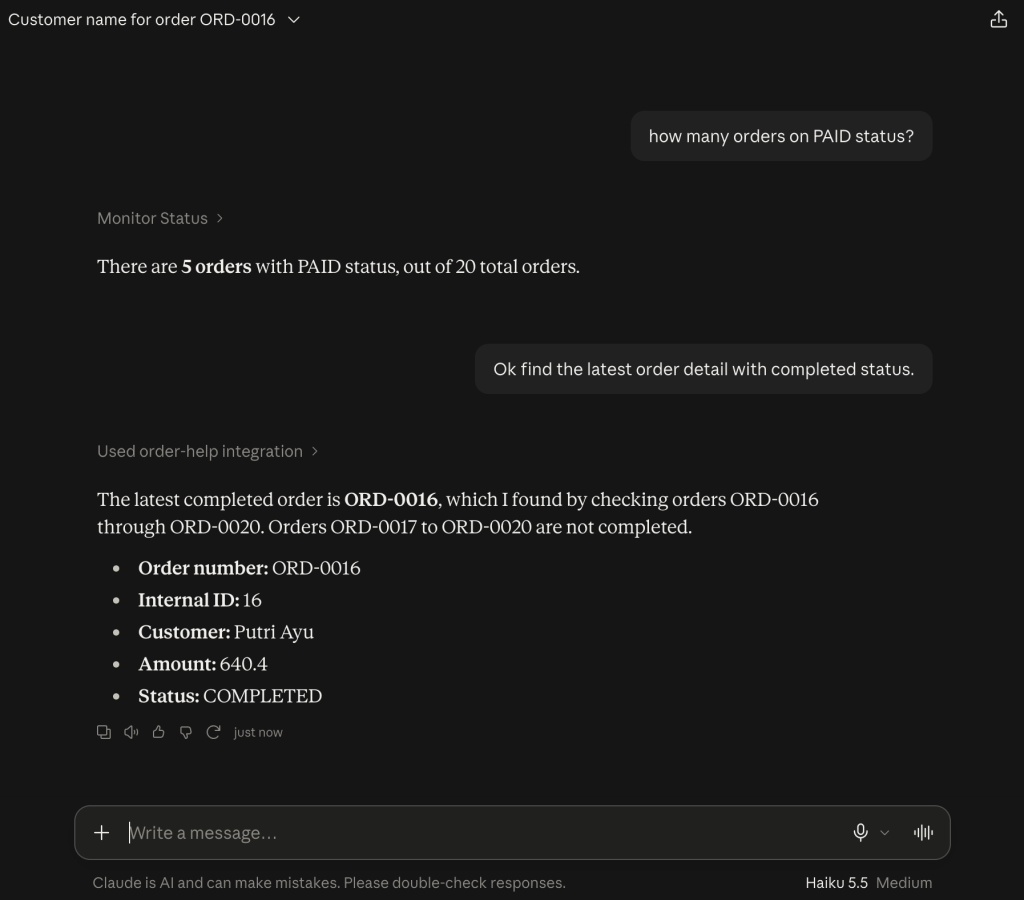
Let say we have and sample e-commerce application and we are going to connect Claude with our system to monitor and track order in easy way. We are going to develop with Fastmcp (python based). Team ops can get the order details by order by asking to Claude and get information instantly about the statistic of orders.
Let’s start build mcp-server.
Create Project
curl -LsSf https://astral.sh/uv/install.sh | sh
First, let’s install uv and set up our Python project and environment.
uv init mcp01
cd mcp01
uv venv
source .venv/bin/activate
uv add fastmcp
At this sample, we are going to create dummy data about e-commerce order on dummy_data.py. We will provide two tools on this mcp-server:
- Track Order
- Monitoring by Status
Sample code define the tools on this mcp server is like below
from fastmcp import FastMCP

mcp = FastMCP("My MCP Server 01")


@mcp.tool
def greet(name:str) -> str:
return f"Hello {name}!"
and run the mcp on main
if __name__ == "__main__":
mcp.run()
The implementation of tracking order and monitoring order status can be opened here for details.
Connect with Claude Desktop
At this sample, we will connect to mcp-server with stdio-transport type. Open your claude_desktop_config.json on mac-os you may find on this path /Users/user/Library/Application Support/Claude. Let’s register the our new mcp-server here,
"mcpServers": {
    "order-help": {
      "command": "/Users/user/Library/Python/3.11/bin/uv",
      "args": [
        "--directory",
        "[YOUR-DIRECTORY]",
        "run",
        "src/mcp01/mcp_server.py"
      ]
    }
  },
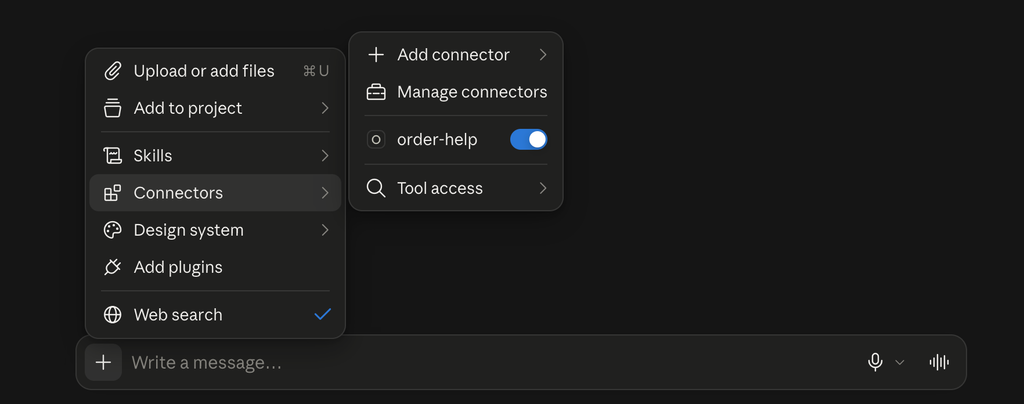
Close and open your Claude desktop. To make sure the mcp-server is well configured to Claude, click + and see on the connectors menu. Yes, the “order-help” our new mcp-server well configured.
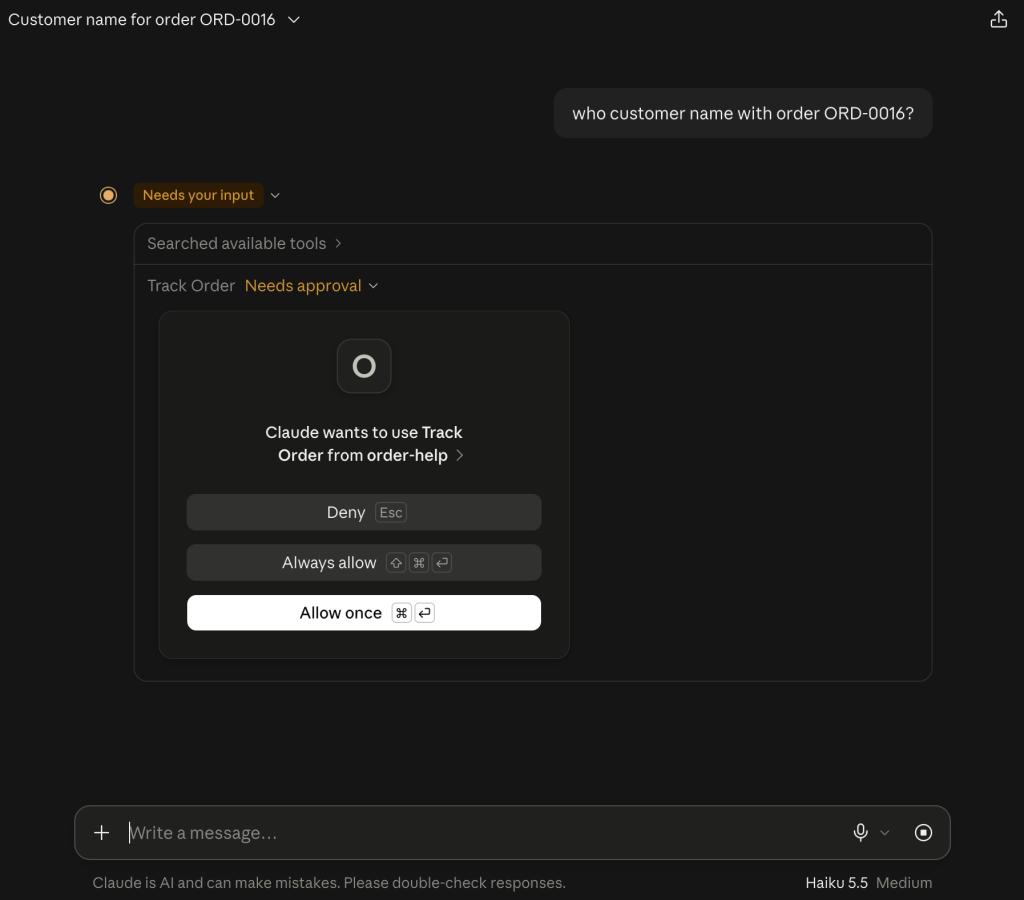
Let’s try by asking some question to Claude.
For more advanced, you need to add authentication for access the MCP server. Take a look here